

Methods
Writes need
events:write, traces:write, or signals:write; reads need
events:read. See Authentication.
Record an event
An event is a fact: where it came from (source), what category (topic),
what happened (event_type), which records it’s about (entities), and the
details (payload).
Python
source, topic, and event_type are required. timestamp defaults to now.
Use stable identifiers in entities (the issue key, the order number) so the
same record’s history lines up across sources. events.create_batch takes a
list of the same shape.
Recording an event stores telemetry. It doesn’t change anything in a twin or
prove that a change happened; twins record their own mutations.
Query events
Python
The filtered query iterates every page. The
history example displays the
first Timeline page; use the same pagination helpers for its full history.
Explore the linked records to see why
stable entity IDs connect activity across services. Results are newest first. events.search(query="duplicate invoice") does a
semantic search when your deployment has embeddings enabled.
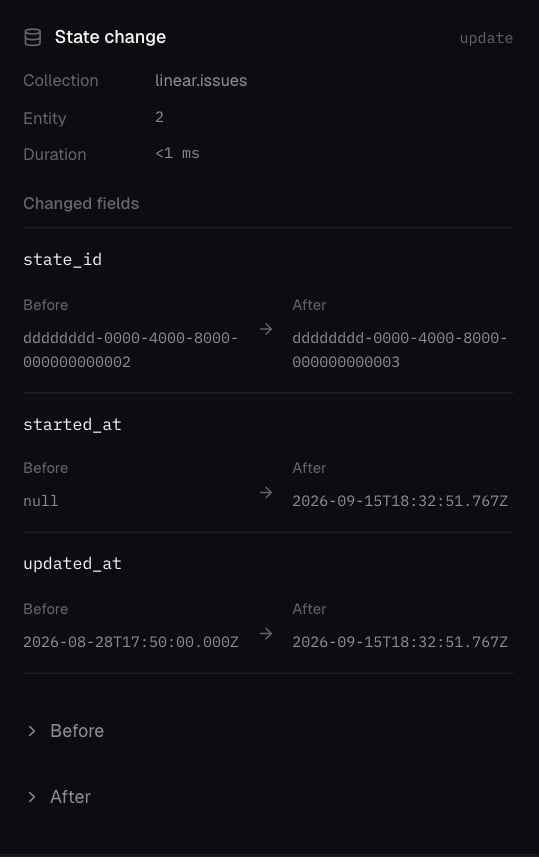
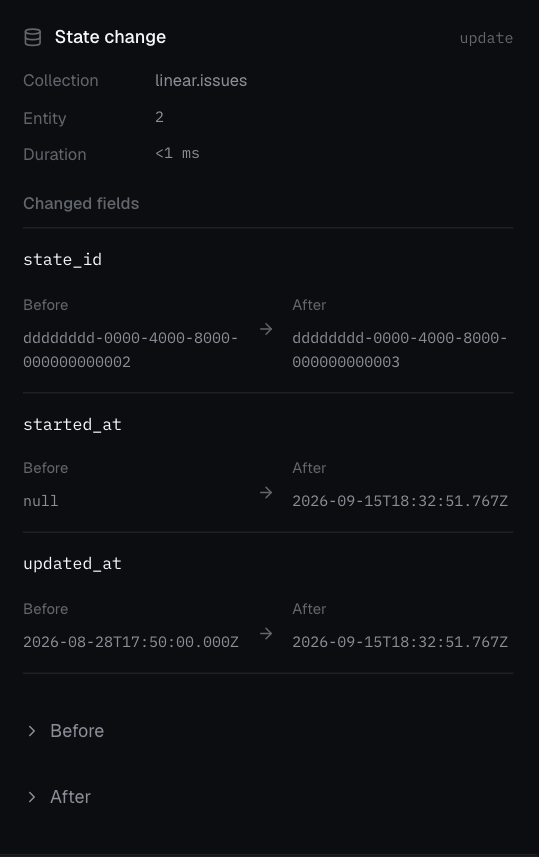
A captured Linear issue update shows the exact fields that changed. This is twin request activity; custom events and traces remain separate records.
Record a trace
A trace groups the steps of one agent invocation. Give spans clear names and put the IDs your team searches by inattributes.
Python
span_id and name; parent_span_id, started_at,
ended_at, duration_ms, kind, status, and attributes are optional. Up
to 1,000 spans per call.
OpenTelemetry
If you already export OTLP traces, point the exporter at Chronicle instead of sending spans by hand. Set the exporter’s endpoint to your Chronicle URL plus/v1/traces, add the header Authorization: Bearer <key with traces:write>,
and keep protobuf or JSON encoding. Chronicle stores the spans alongside events
recorded through the SDK.
Attach feedback
A signal is feedback about an event: a reviewer’s verdict, a thumbs-up, a label. It uses theid returned when the event was created.
Python
Follow events live
events.stream yields events as they arrive, with the same filters as
events.list. It reconnects on its own and resumes where it left off.
Python
events.list from your last stored time window before
resuming. Deduplicate on event.id; do not treat a disconnected stream as proof
that no events occurred.
What lives where
- Events you send:
events.list, Timeline. - Twin requests and mutations:
twins.activity. - What an agent did in a trial:
evaluations.trials.retrieve.