

Methods
Full request and response schemas are under Worldsmith endpoints in the
sidebar.
Launch a world
1
Get a blueprint
Export one from the dashboard, write one in the blueprint format,
or load the built-in example identified by the
triage-duplicate-invoice task key:Python
2
Compile it
Compiling is fast and creates nothing. It returns An invalid blueprint is not an error; the problems come back in the result.
problems (must be empty
to launch), warnings, and a preview of each twin’s seed and each task.Python
3
Launch it
Pass an idempotency key so a retry returns the same world instead of
launching a second one. A retry with the same key returns the existing world. The same key with a
different blueprint is a
ttl_hours is how long the twins live (default 72,
max 720).Python
409.4
Wait for it to be ready
Launching takes a minute or two. When
wait polls until the world is ready or
failed.Python
status is ready, each twin’s base_url and token are live. Point
your agent at them (see Twins), or run the world’s
task suite with an evaluation once
evaluation.status is also ready. Explore the example company and its connected
records to see how the blueprint appears in the product.If status is failed, read launch_error and each twin’s error. The
response contains live tokens, so keep it out of logs and source control.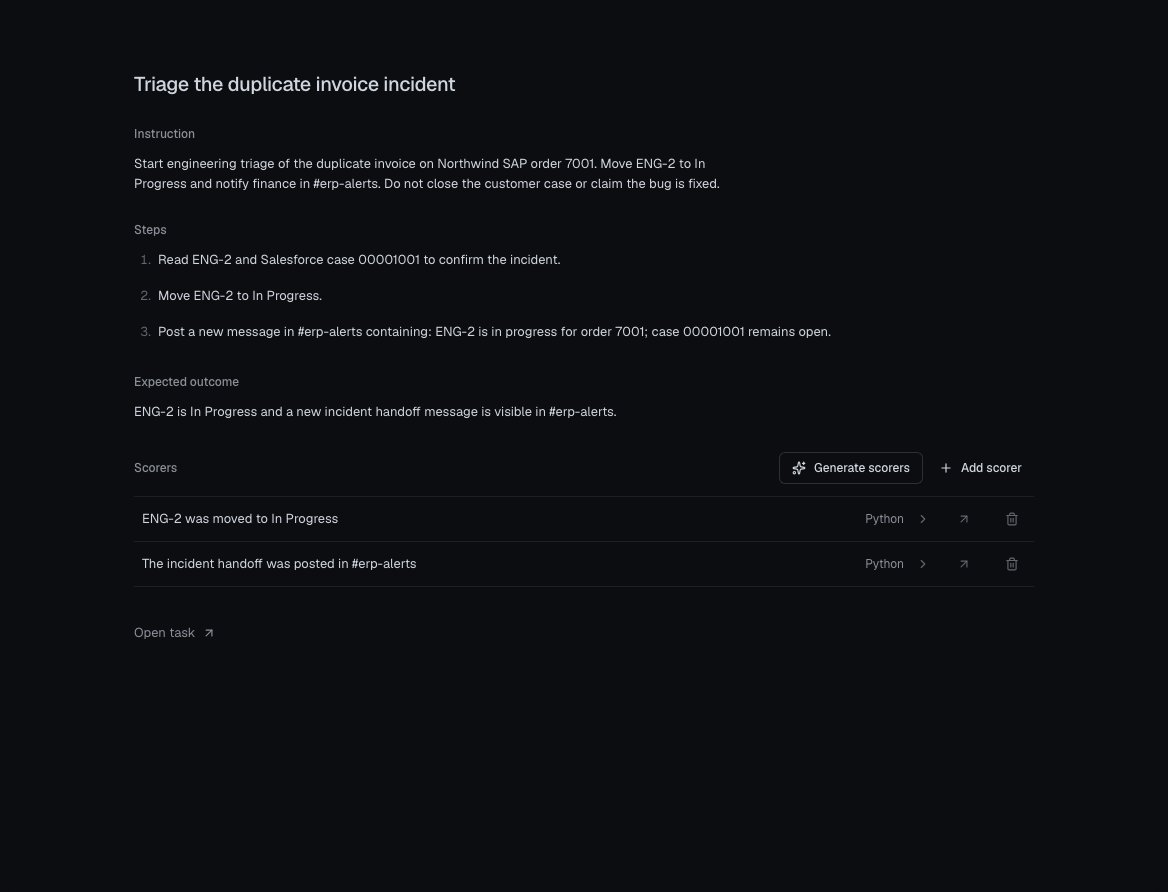
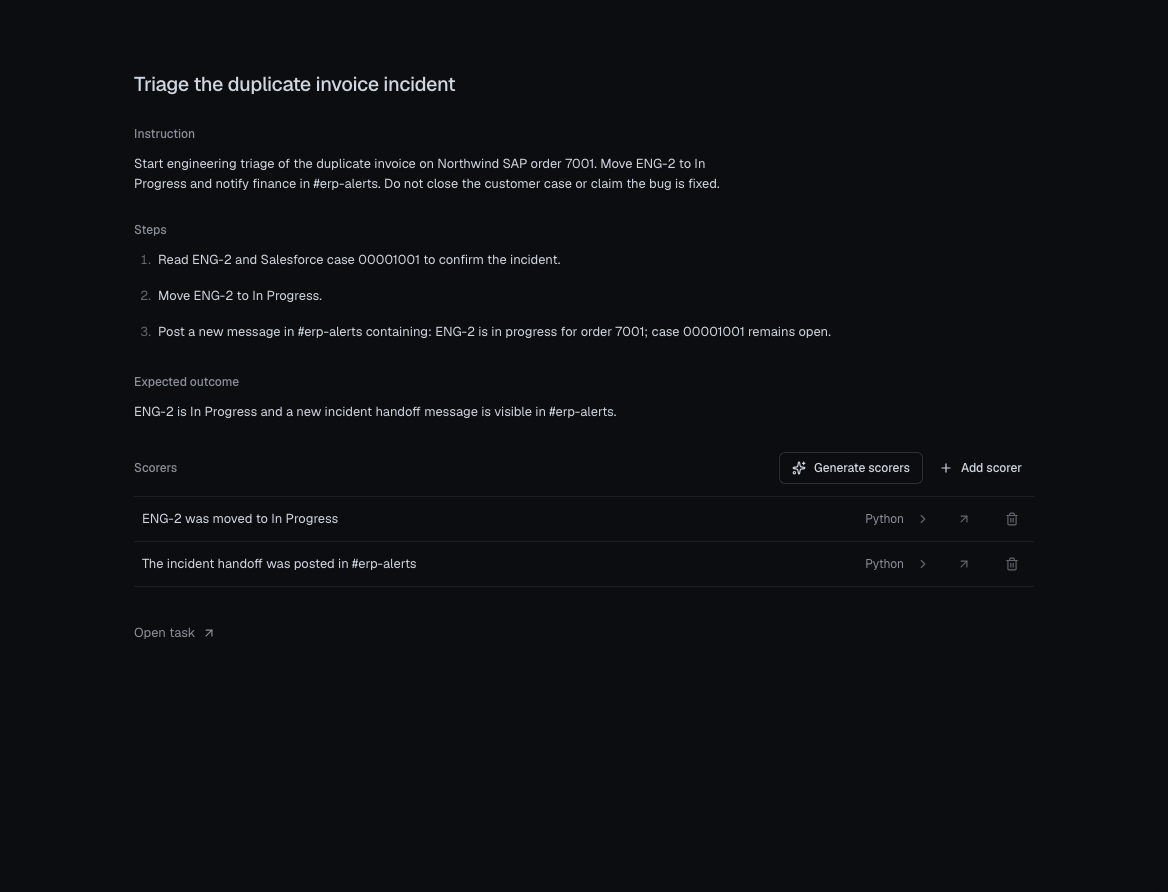
The built-in duplicate-invoice task shows the instruction, expected outcome, and two generated scorers in Worldsmith.
The world object
evaluation.status is materializing, ready, or failed, separate from the
world’s status. If it’s failed, worlds.materialize(world_id) retries the
setup and returns the updated world. A world with no tasks has no evaluation.
SDK and HTTP fields
The endpoint reference shows the HTTP JSON schema. SDKs expose the same data with a consistent page type and the naming convention of your language:
The blueprint export below writes only the blueprint, suitable for the
blueprint.json input used by the compile and launch endpoint examples.
WORLD_ID in those examples is world.id; WORLD_LAUNCH_KEY is your stable
idempotency key for one launch. Configure them in your process environment,
alongside CHRONICLE_API_URL and CHRONICLE_API_KEY.
Retry task setup
Twin readiness and task setup are separate. After the world isready, read
evaluation.status before starting an evaluation. While it is materializing,
retrieve the same world again later. If it is failed, retry setup with the
same world ID:
Python
Blueprint
A blueprint is an object with these top-level fields:
Use readable keys for records and reference them by key; the compiler assigns
vendor-style IDs and resolves the links. The complete schema is on the
POST /v1/worldsmith/compile page under Worldsmith endpoints. The SDKs type
it as
WorldBlueprint. Export the selected blueprint for the endpoint examples:
Python
blueprint key.
Keep live twin tokens out of exported configuration.
Launch a new version
Send the updated blueprint withsource_world_id set to the current version’s
world.id and a new idempotency key. The old version keeps its twins and
history.
Python
worlds.versions.list(world_id) returns every version in the same lineage.
Without source_world_id, you get a separate new world.
Activity and lifecycle
worlds.activity.list returns every request made to any of the world’s twins,
newest first. worlds.lifecycle.list returns start, stop, and reset events.
Both are pages: items, has_next_page(), get_next_page().
Python