The saved starting state every trial begins from. Worldsmith creates one for you; this page is for when you need more control.
An environment is a saved definition of the tools and starting records an
agent gets during a trial. A published version of an environment is
frozen, so every trial, today or next month, starts from the same state.You usually don’t create environments yourself. Launching a Worldsmith world
publishes one automatically and binds it to the world’s tasks.
A task’s environment answers “which starting state does this test need?”
Open the task in Tasks.
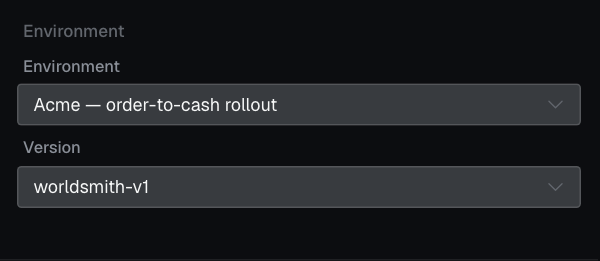
Expand Environment and select the environment.
Select a specific published Version and wait for the saved state.
Picking a different environment clears the version, so check it after changing.
For the duplicate-invoice task, pick the version where ENG-2 is still in Todo. A version
where the incident is already resolved would test something else.
The duplicate-invoice task is bound to a specific published version, worldsmith-v1, of its environment.
Always pick the version, not just the environment. The name alone doesn’t pin the starting state.
Tasks in one suite can use different versions. A task’s own version wins over
an evaluation’s default environment; the default only applies to tasks that
don’t have one.
The Environments page lists saved environments and their versions. A
custom version can describe recorded HTTP replays, seeded datastores, MCP
servers, or standalone twins.To use an existing custom environment, select its published version in the
task’s Environment section.Checkpoint: the task shows the intended environment and a specific
version, and its saved state is confirmed. Run an evaluation
to test the agent from that starting state.