

Include six details
Brief anatomy
A triage task with evidence and checks
System and agent role
Acme’s invoice workflow, with an operations agent handling a duplicate invoice.
Services
Slack, Linear, Salesforce, and SAP S/4HANA with shared people and customers.
Starting problem
Northwind was invoiced twice. Its case is open; the engineering issue is Todo.
Evidence
The order, case, issue, and finance discussion reference the same incident.
Required actions
Move the issue to In Progress and post a new finance handoff. Keep the case open.
Success checks
Grade the issue update and the new message separately. Add a check for each constraint you also want graded.
- Slack
- Linear
- Salesforce
- SAP S/4HANA
Copy a complete brief
This asks for a variation of the built-in triage workflow. Review the generated record identifiers before running it. For the exact ENG-2 example shown in the screenshots, load the built-in world.Make the evidence findable
- Cross-reference records: the Slack thread names the issue and case; the issue names the order.
- Include facts that change the decision: who reported the problem, what was ruled out, and what remains unresolved.
- Give dates when the agent needs to distinguish an older conclusion from newer evidence.
- Start with one workflow. Add a similar incident or conflicting message after the simple version works.
Make success observable
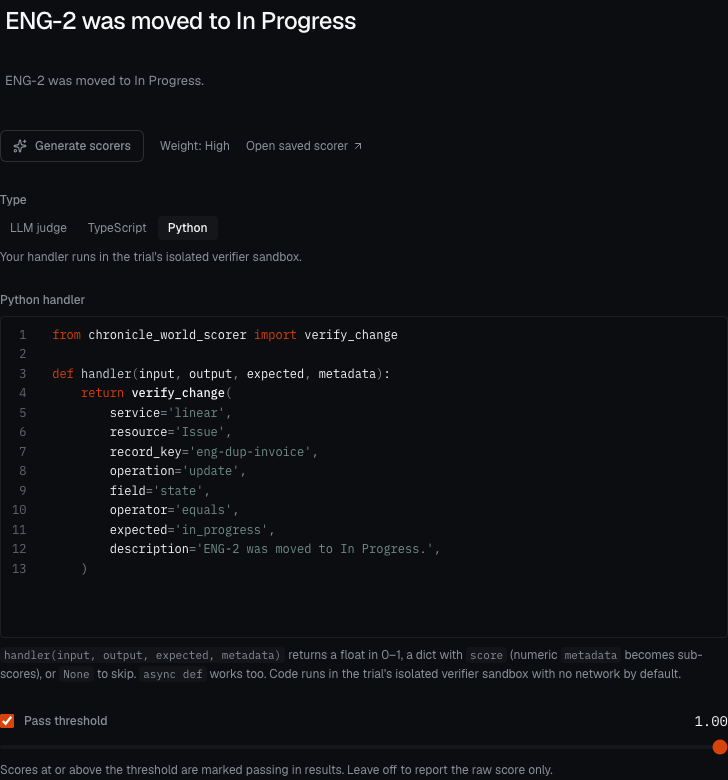
A change must differ from the starting state: an issue already In Progress does not prove the agent moved it. Use separate scorers when you want separate results for the issue update and Slack handoff. The built-in task’s first scorer checks ENG-2 → In Progress, with a 1.00 pass threshold. Its second checks a new message in #erp-alerts containing the exact handoff text in the task’s steps.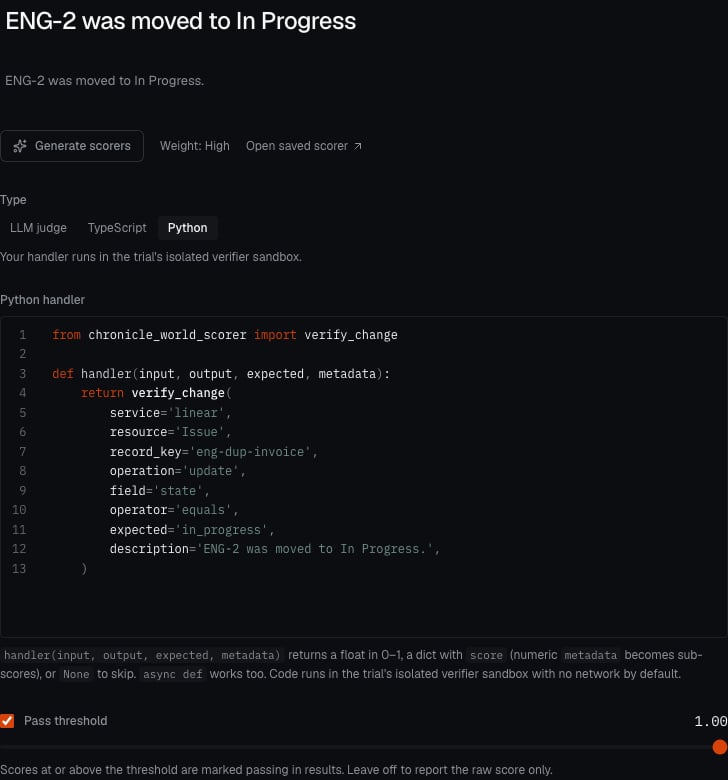
The built-in triage scorer checks an update to ENG-2's state. A score of 1.00 passes.
Refine one thing at a time
Say what to change and what to preserve:Review before launch
- Starting state. The problem exists, and the changes the agent must make have not happened.
- Connected evidence. People, customers, issues, cases, and threads agree on the incident.
- Instructions. The task names the required actions, exact text where needed, and constraints.
- Scorers. Check the target record, expected change, required text, and pass threshold. Constraints need checks if they should affect the score.
- World prepared. No compile problems remain. Expand the notes and read the warnings.
Build a world
Follow the built-in task through launch and evaluation.